◆ private
GitHub Notify
Impossible-to-miss alerts when someone requests your review on GitHub.
- Started
- Oct 2026
- Version
- v1.179
- Commits
- ~1,440
◆ Private — no public link
- WXT
- Manifest V3
- TypeScript
- three.js
- Web Audio
- Cloudflare Workers
- Durable Objects
- Vitest
- Playwright
What it is
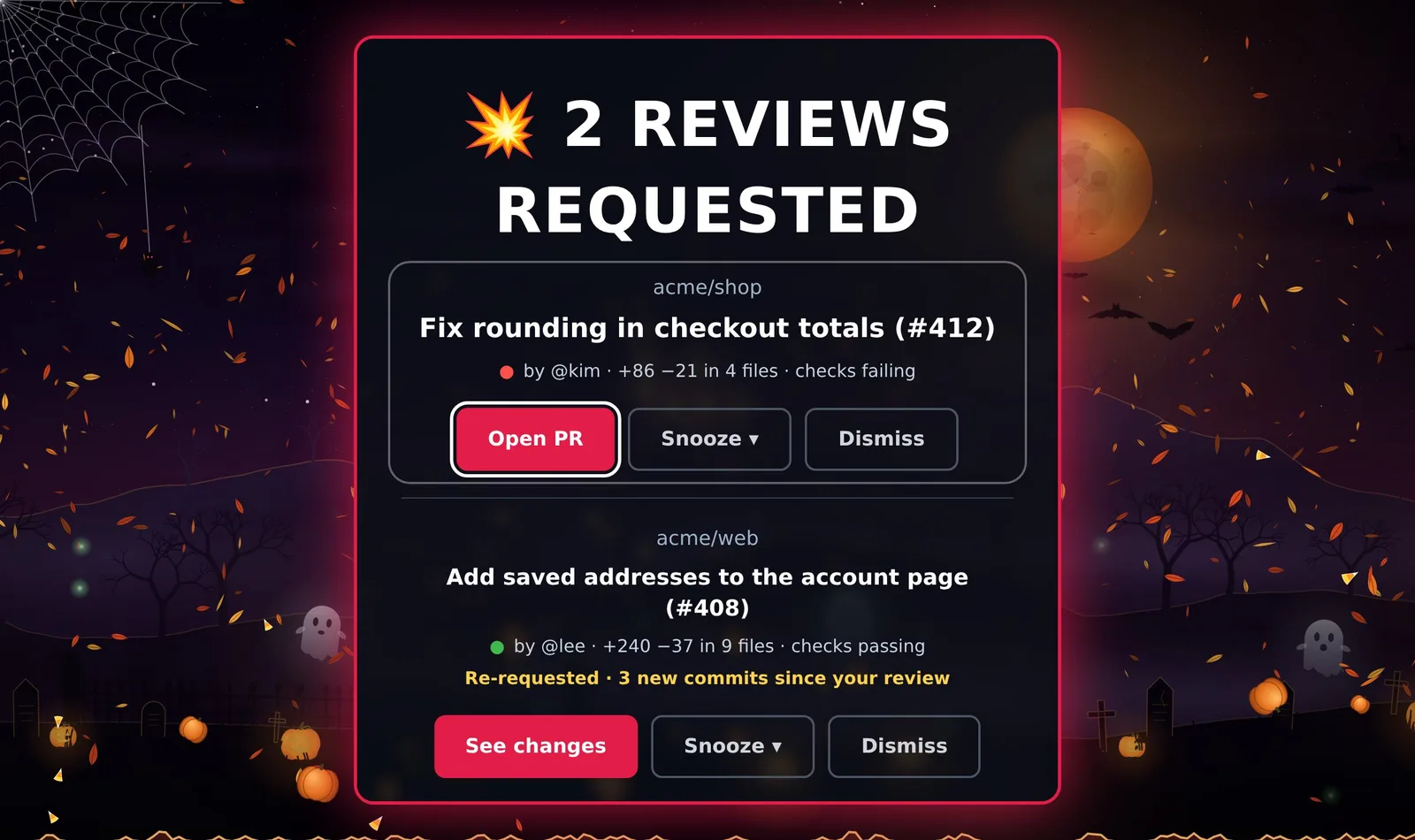
GitHub Notify is a browser extension that makes review requests impossible to miss. When someone asks you, by name, to review a pull request, it doesn't add a dot to a bell. It takes over your screen with a full-screen alert and an alarm, and it comes back every minute (up to five times) until you open the PR, snooze it or dismiss it.
I built it for my team at work, because GitHub's own notifications are easy to scroll past and a waiting review holds up whoever asked for it. It's private: teammates install it from a release zip, paste a GitHub token, and that's the setup.
How it works for a user
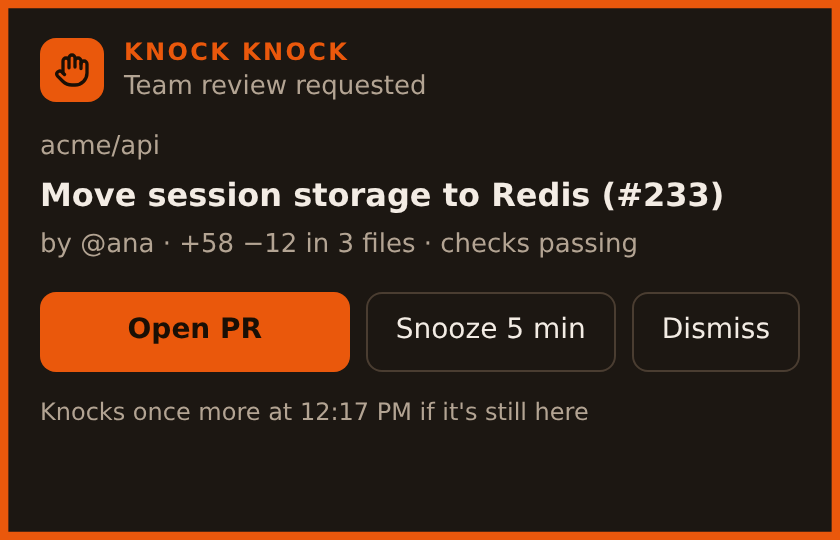
Not everything deserves an alarm, so every kind of event gets a level. A review request from you by name is a BOOM, the full takeover. An @mention or an approval on your own PR is soft: a notification and a chime. In between there's a knock, a small card that comes to the front in the corner of the screen and knocks once more three minutes later if you leave it. Team review requests stay silent unless you turn them up, and per-repo rules (with owner/* wildcards) can only make things quieter.
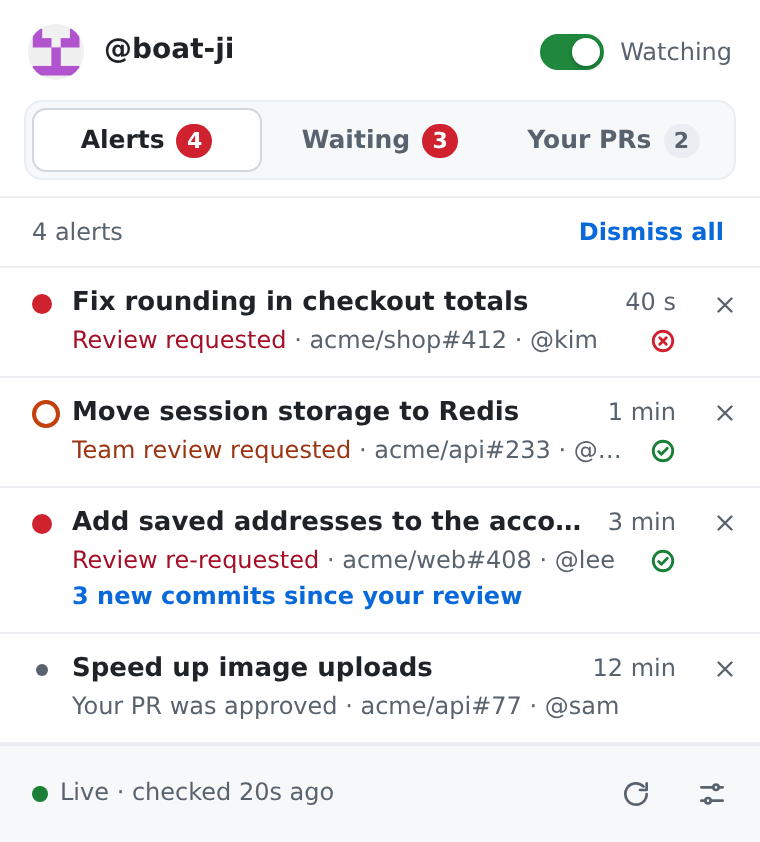
The takeover shows what you need to decide: the repo, the title, who opened it, its size, and whether checks pass. If you're re-requested on a PR you already reviewed, it says how many commits landed since your review, and the button opens just that diff. Everything has a key: O or Space opens the PR, S snoozes (until after lunch, or tomorrow at 9:00), D dismisses.
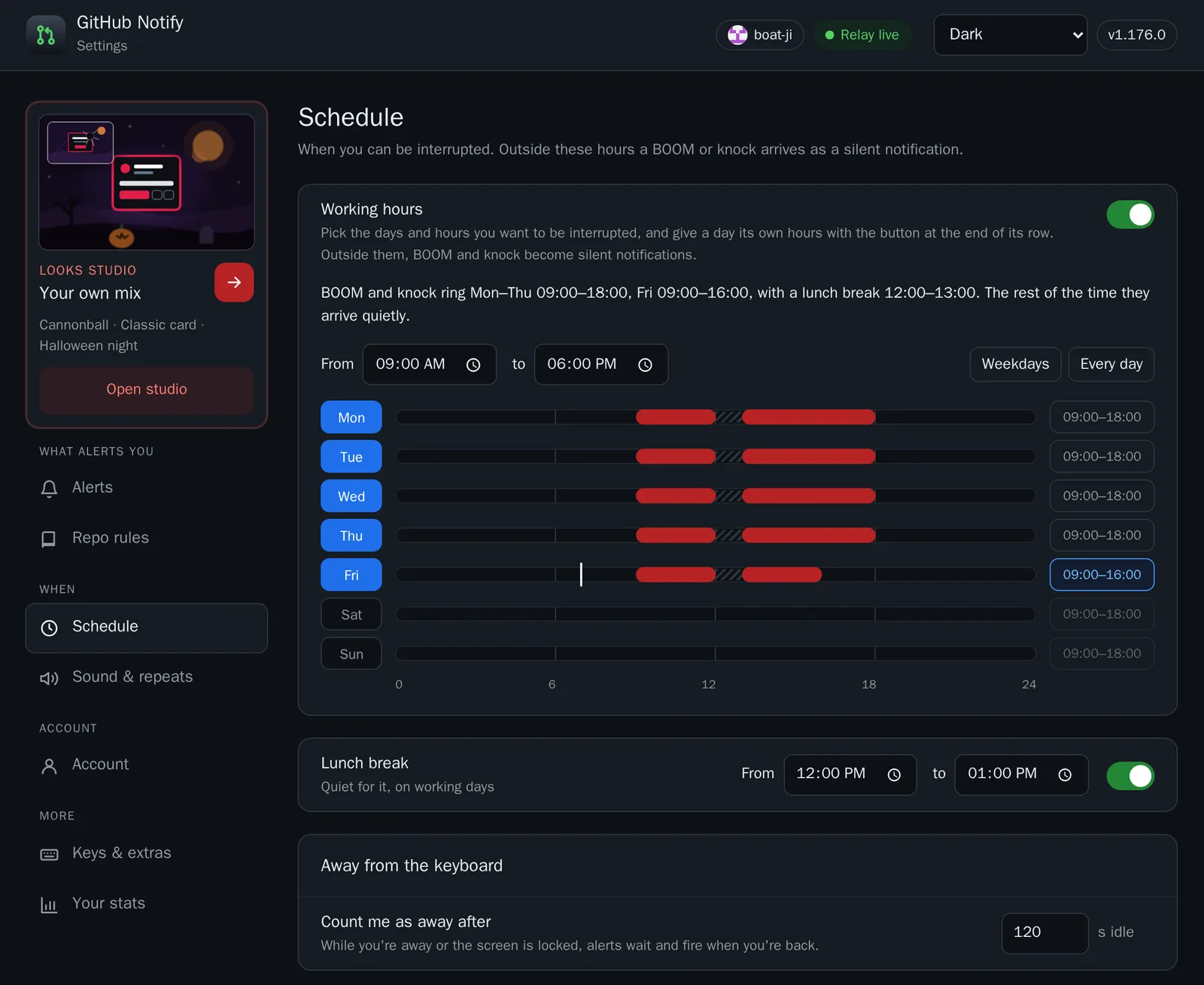
It also tries hard not to be a nuisance. Working hours (Monday to Friday, 09:00 to 18:00 by default, with an optional lunch break) decide when a BOOM can ring; outside them alerts arrive as silent notifications. While you're away or the screen is locked, alerts wait and fire when you're back.
The toolbar popup has three tabs: the open alerts, the review requests still waiting on you (with a bar that turns red past a reminder time), and your own PRs with a Nudge button per reviewer.
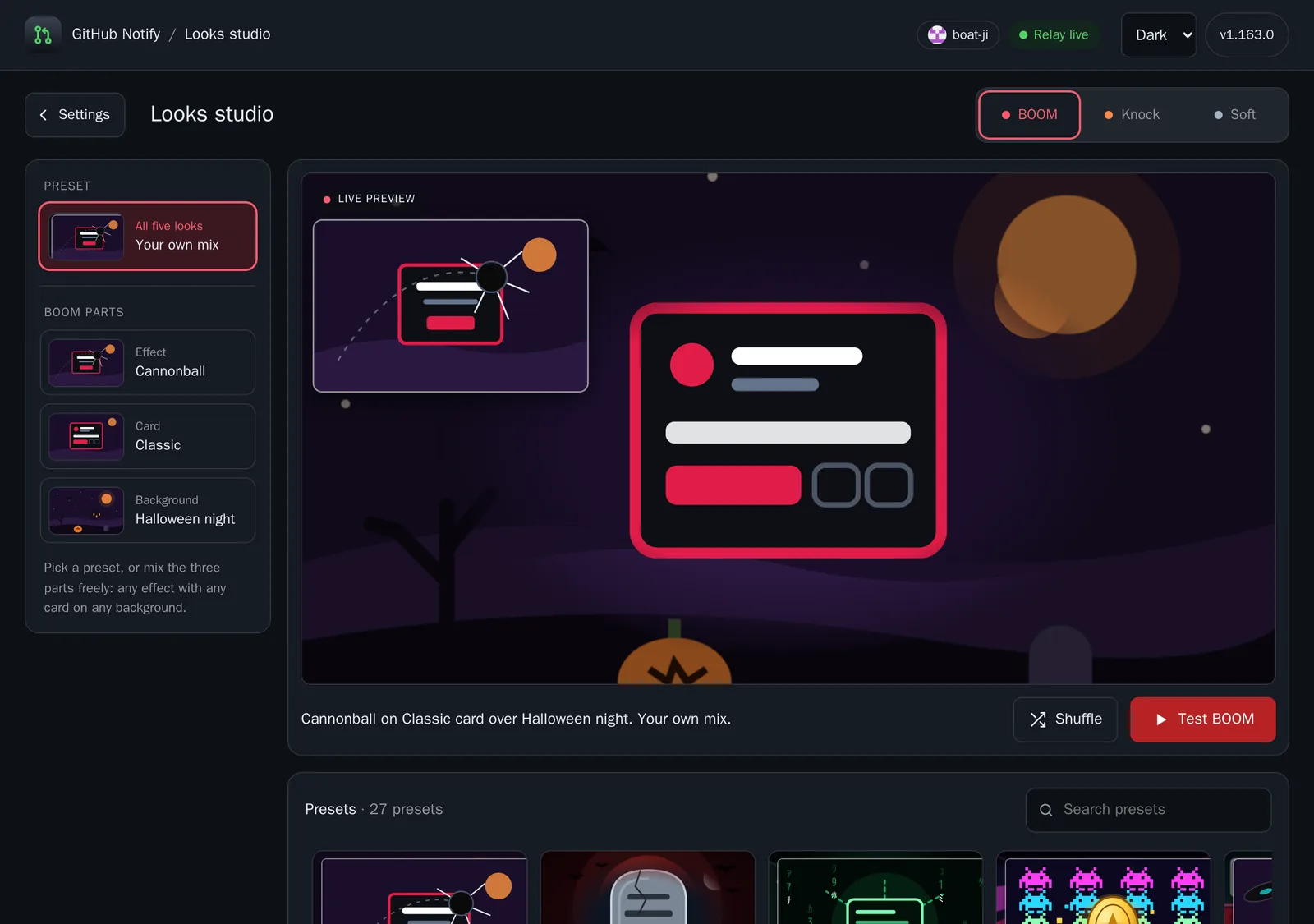
And because an alarm you see every day should be one you like, there's a looks studio: a gallery of takeover effects, 3D cards and backgrounds, with presets that set them together and a Test button that fires the real thing.
Decisions I'd make again
Polling first, push as a bonus
The extension works on its own: every minute it asks GitHub for your notifications with your own token, and every two minutes it also searches for open PRs requesting your review, in case your notification settings hide one. Triage checks the PR's current reviewers, so a request BOOMs once and later comments on the same PR don't set it off again.
Polling is reliable but slow, so there's an optional team relay on top. A small Cloudflare Worker receives GitHub's webhook, checks its signature, works out who the event is for and hands it to a Durable Object, one per GitHub login, which hibernates while idle and pushes the event over a WebSocket to that person's browsers. The extension alerts at once, then polls. With the relay a review request arrives in seconds; without it, within a minute. A dropped connection only costs speed.
The token never leaves the browser
Early on the relay held tokens. I changed that: now the extension connects with just a GitHub username, and anything that needs GitHub is done in the browser with the user's own token. Events from the relay go through the same triage and dedupe as polling, so an event delivered twice alerts once. Settings and review stats (13 weeks of response times) are kept only in the browser's extension storage.
Don't trust teammate messages, verify them
Extensions can message each other through the relay: a "seen" receipt when a reviewer opens your request, and a "nudge" when an author asks you to review now. The sender's login can't be proven, so the receiving extension checks with GitHub that the PR is open and the people involved really are its author and requested reviewer before it shows anything. The relay also rate-limits both ends: about 30 messages an hour per sender, and about 20 an hour per recipient from anyone, deliberately lower so one person can't be flooded through many fake logins.
Respect Manifest V3's sharp edges
Manifest V3 has its own sharp edges. Chrome keeps the service worker alive only while the WebSocket sends or receives something at least every 30 seconds, so the extension pings every 20, and the relay answers without waking up. A connection that dies without closing (a Wi-Fi switch, a laptop resume) is detected and replaced instead of showing "Live" while events are lost.
Small, finished releases
I shipped it the way I like to work: every finished piece is its own branch, PR, merge and release. That's why the version number is past 1.179, and why each release stayed small enough to test with Vitest and Playwright before it went out.
More screens · 4
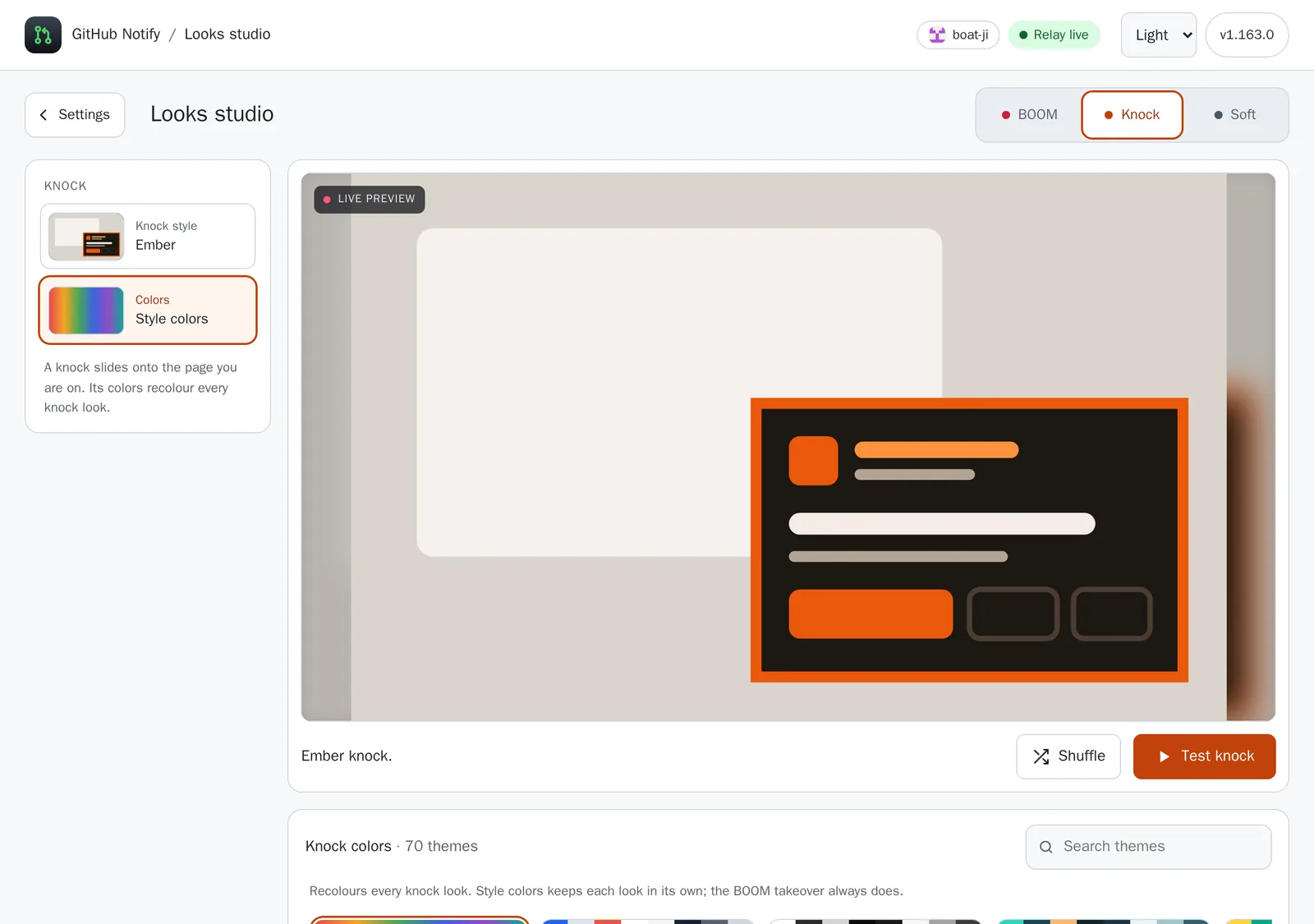
The looks studio in light mode, showing knock styles 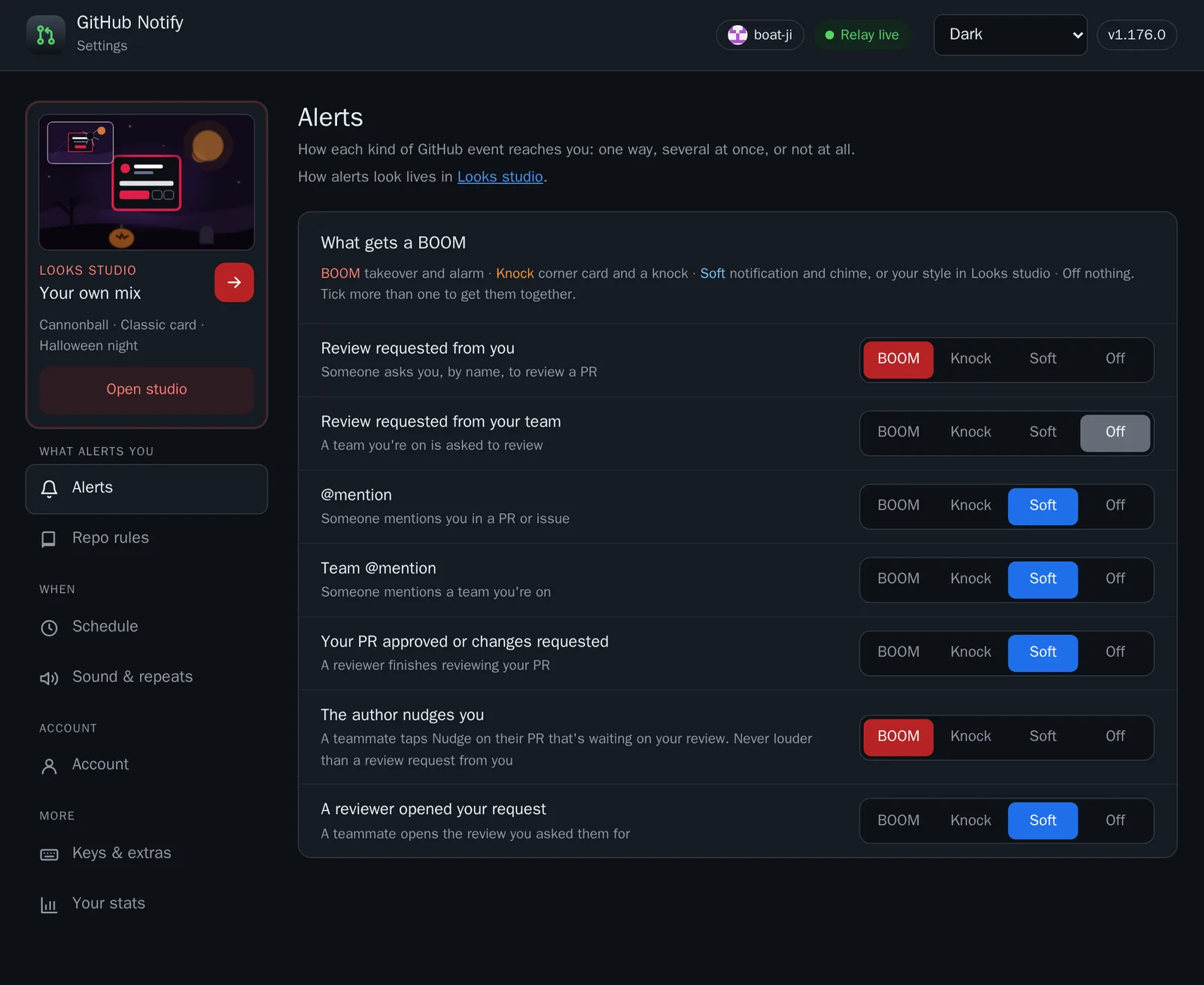
Alert level settings per event type 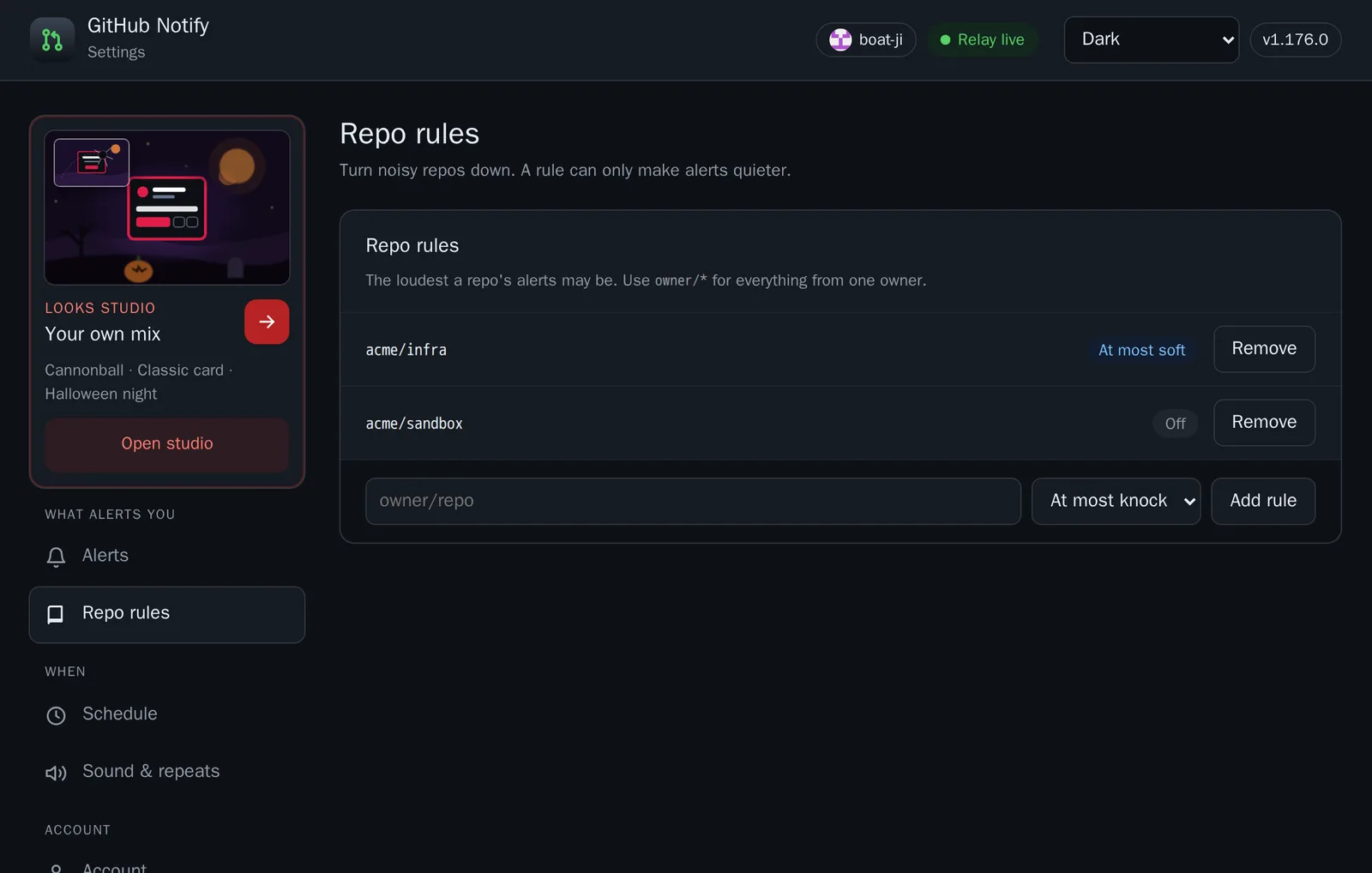
Per-repository rules with wildcards 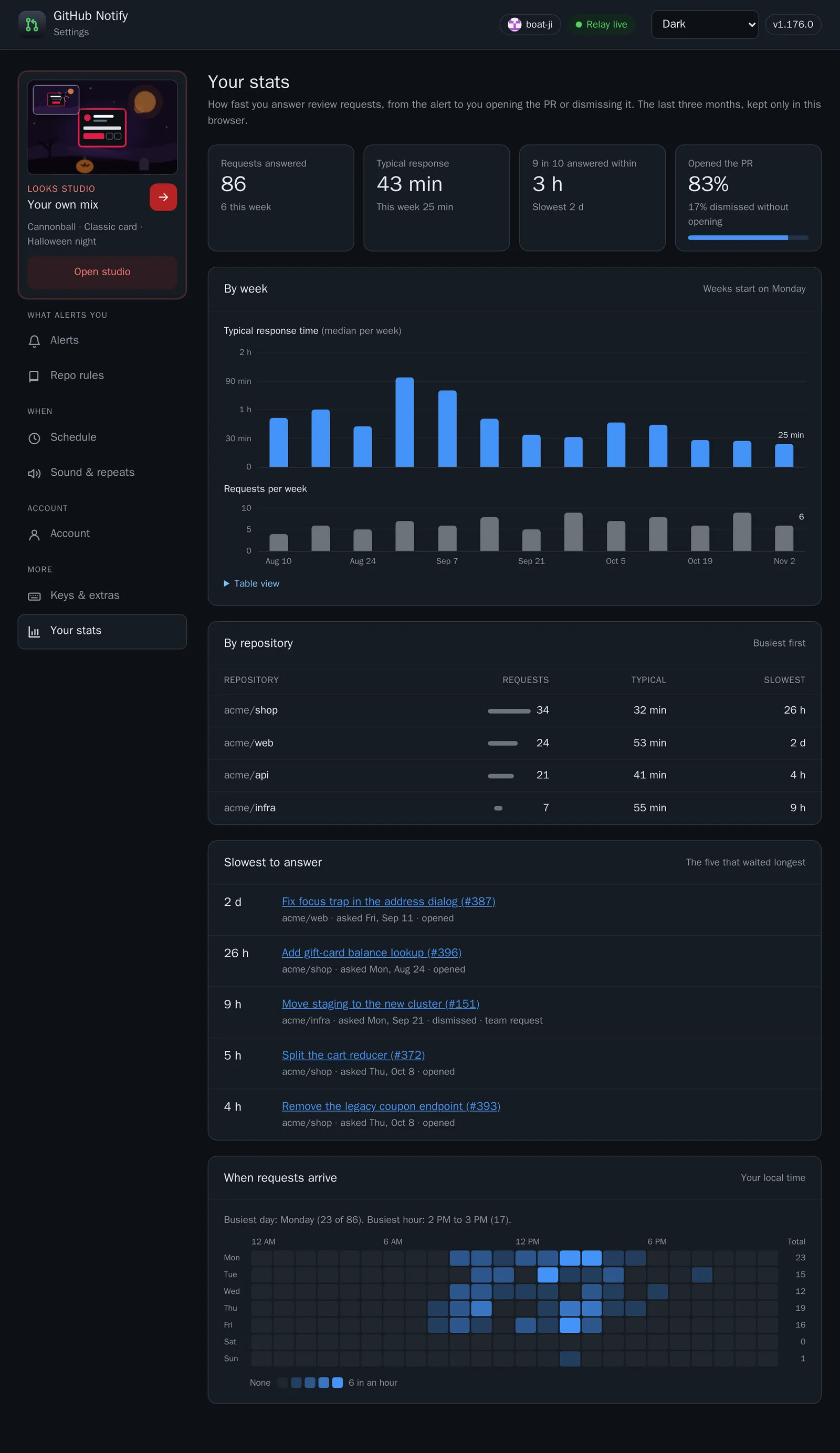
Thirteen weeks of review response stats